
Virtual flowers for your girlfriend that actually feel like a gift
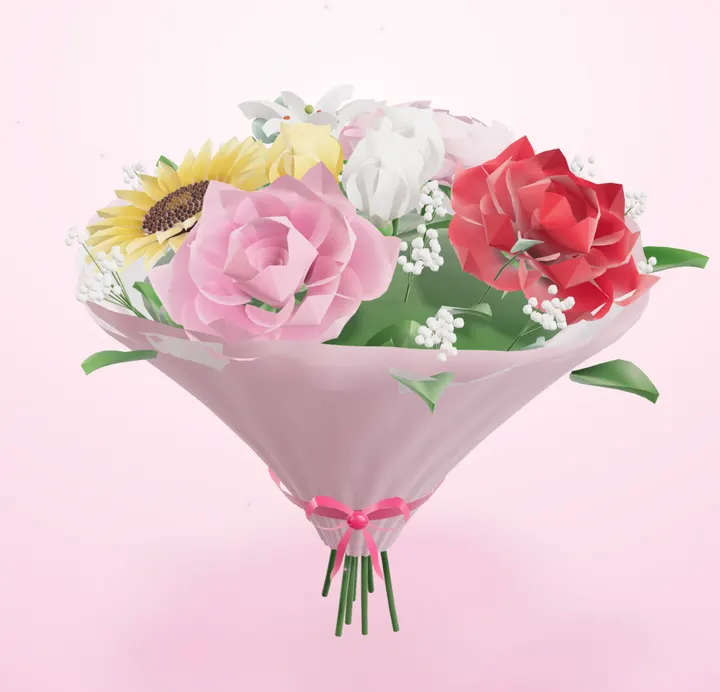
Real flowers are lovely, but they're not always possible: she's in another city, it's 11 PM, or delivery would cost more than dinner. Virtual flowers can fill that gap if they're done with some care. Here's how to make a bouquet she'll actually smile at, not a clip-art GIF she scrolls past.
When virtual flowers make sense
Virtual flowers work best when they're a small, sweet gesture rather than a replacement for a big occasion. Good moments: a random Tuesday, the night before her exam, after a hard day, when you're long-distance, or as a 'thinking of you' that arrives instantly.
For a birthday or anniversary they can still work, especially if you pair them with a call or a plan. What matters is that the note sounds like you.
How to build a bouquet she'll like
Start with her favourite
If she's ever mentioned a flower (sunflowers, peonies, tulips), make it the centre of the bouquet. It shows you listened.
Keep it to 5–9 stems
A tight bouquet looks more real than a crowded one. Odd numbers usually look more natural.
Pick two or three colours
Soft pinks and whites feel romantic; sunflowers with daisies feel cheerful. Too many colours looks random.
Mix a hero flower with fillers
One or two big blooms (a rose, a lily, a sunflower) surrounded by smaller ones gives the bouquet shape.
What to write in the note
The note is the gift; the flowers are the wrapping. Two or three honest sentences beat a long poem. Mention something specific: a thing she did this week, a memory, a joke only you two get.
Examples: "These won't wilt, unlike my patience waiting for Friday." / "For getting through today. Proud of you." / "I can't hand you these yet, so here's the next best thing."
How to send it with the free Flower Box
1. Tap flowers in
Choose from roses, tulips, sunflowers, lilies, peonies and daisies. Tap a flower in the bouquet to change its colour or remove it.
2. Write your note
Add your names and a message. Optionally add a question like "Dinner on Friday?" that she can answer.
3. Send the link
Share it on WhatsApp, Instagram or text. She unwraps the box in 3D on her phone, and your tracking page shows when she's opened it.
Real vs virtual: be honest with yourself
If you could easily hand her real flowers and you're choosing virtual to save effort, she'll probably feel that. Use virtual flowers for the moments when real ones aren't practical, or as a small surprise between bigger gestures.
What different flowers say
Red roses
The classic for romance. Best when you're already together; on a third date it can feel like a lot.
Pink roses or peonies
Sweet, admiring, a bit softer than red. A safe romantic choice for most moments.
Sunflowers
Happy and warm. Perfect for 'you light up my day' or cheering her up after a rough week.
Tulips
Fresh and simple. Great for spring, new beginnings, or when you don't want it to feel too heavy.
Lilies and daisies
Lilies feel elegant; daisies feel playful. Mix them in to give the bouquet some texture.
Questions
Is the Flower Box really free?
Yes. Building and sending a flower box is free, needs no signup, and the link lasts 90 days.
Does she need to download an app?
No. She opens the link in her phone's browser from WhatsApp, Instagram or text.
Will I know if she opened it?
Yes. After you create it you get a private tracking page that shows when it's opened and her answer if you added a question.
Can I add a question?
Yes, optionally. Pick one like "Spend Christmas with me?" or write your own.
Or try the other free one: make an ask link
Memory Lane
Want something she can keep?
Memory Lane turns 5 of your photos into short puzzles she plays on her phone, with your message at the end.
- Your photos & inside jokes
- 6 puzzles they play on their phone
- Your question revealed at the end