
Digital bouquet maker: build a 3D bouquet with a message
Digital bouquets took off because they're quick, cute and free to send. Most makers are flat 2D collages. Ours builds a 3D bouquet you can spin, wrapped in paper inside a gift box, with your letter attached. Here's how to arrange one that looks good, plus a few ideas for what to write.
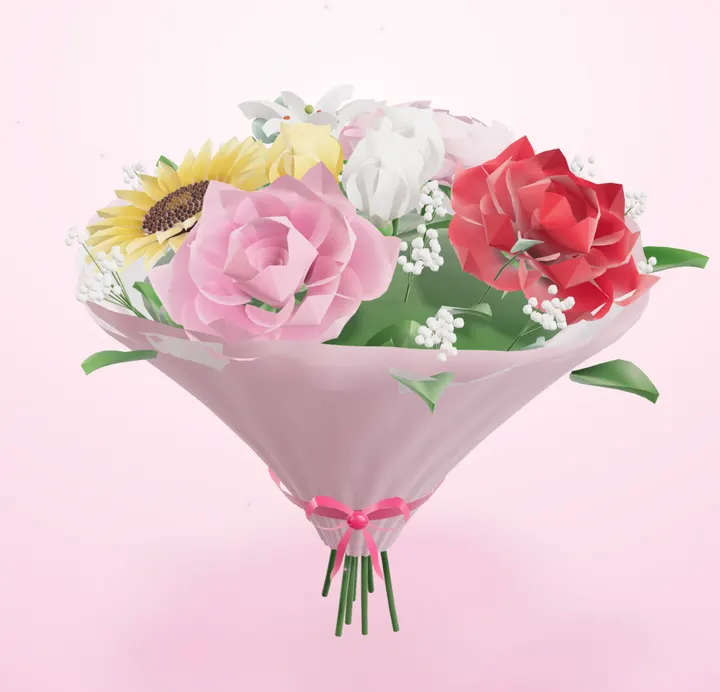
How the Flower Box works
Tap to add, tap to edit
Tap a flower to add it to the bouquet. Tap a flower that's already in the bouquet to change its colour or remove it. You can also drag flowers to place them.
Flowers that don't overlap
Each flower takes up real space, so stems settle next to each other instead of clipping through, like a real bunch.
Style if you want it
Paper and box colours have good defaults. Change them under Style, or leave them.
A letter and an optional question
Add a note, and if you like, a question they can answer, like "Will you be my Valentine?"
Arranging tips from real florists
Odd numbers
3, 5, 7 or 9 stems usually look more natural than even numbers.
One focal flower
Put the biggest bloom (a peony, a rose, a sunflower) near the centre and build around it.
A limited palette
Two colours plus white is a safe, elegant choice. Blush and cream, red and white, yellow and white.
Vary the heads
Mix round flowers (roses, peonies) with open ones (daisies, lilies) for texture.
Bouquet ideas by occasion
Romantic
Red or pink roses with a white peony. Note: something specific you love about them.
Birthday
Sunflowers and daisies, bright and cheerful. Note: a memory from this past year.
Apology
Soft whites and pinks. Note: a short, sincere sorry, without excuses.
Friendship
Tulips in mixed colours. Note: an inside joke.
Christmas
Red roses with white lilies. Question: "Spend Christmas with me?"
How to share it
When you're done you get a link to send and a private tracking page. The person opens the link on their phone, unwraps the box, and sees the bouquet with your letter. Nothing to install on either side.
What to write in the letter
A bouquet without words is just a pretty picture. Two or three sentences are plenty: why you're sending it, and one specific thing about the person. "I saw sunflowers today and thought of your laugh" lands better than a generic "Thinking of you".
If you're asking something (a date, a Valentine, making it official), keep the question short and put it in the question field so they can answer with a tap. You'll see the answer on your tracking page.
Questions
Is this digital bouquet maker free?
Yes, free with no sign up. The link lasts 90 days.
Can I download the bouquet as an image?
It's designed to be sent as a link so they can unwrap and spin it in 3D. You can always screenshot it.
Which flowers can I use?
Roses, tulips, sunflowers, lilies, peonies and daisies, each in several colours.
Does it work on phones?
Yes. Both building and opening the bouquet are designed for phones first.
Or try the other free one: make an ask link
Memory Lane
Got photos together? Go one step further
Memory Lane turns 5 of your photos into puzzles they play through, ending with your message.
- Your photos & inside jokes
- 6 puzzles they play on their phone
- Your question revealed at the end